Sketching Smarter: Analog and Digital Side by Side
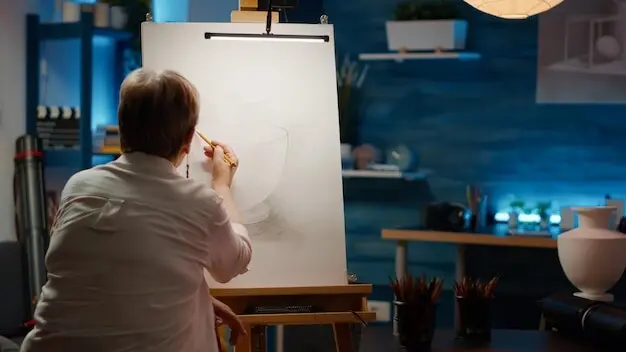

Join a hands-on exploration of analog vs digital sketchnoting: tools, tips, and workflows that turn quick marks into clear stories. We will compare paper’s tactile immediacy with tablets’ flexible layers, share practical setups, and guide you through repeatable processes for live sessions, study notes, and client work, so you confidently choose, switch, or combine both worlds. Share your go-to setup and questions; we’ll fold them into upcoming experiments and case studies.

Choosing Your Canvas

Before drawing a single line, decide where your ideas will live. Paper rewards focus, resilience, and delightful constraints; tablets offer speed, backups, and infinite iterations. Through real conference stories and studio tests, we compare portability, battery anxiety, glare, scanning friction, handwriting feel, and output formats to help you pick intentionally every time.

Paper virtues

Notebook pages create commitment with every stroke, inviting bold decisions and honest mistakes you can see and learn from. Grain adds character, bleed forces composition choices, and margins become navigational anchors. Many artists report calmer focus in noisy venues, fewer notifications, and a satisfying archive you can flip, gift, or exhibit.

Tablet strengths

With layers, undo, and quick color picking, tablets encourage fearless iteration and cleaner final exports. Pressure curves simulate favorite nibs, while palm rejection and matte screen protectors steady long sessions. Despite latency and battery limits, portability, searchable notes, and cloud sync let you capture talks, revise later, and deliver multiple formats fast.

Hybrid approach

Start analog to think freely, then photograph pages and continue digitally to refine hierarchy, color, and lettering. Build a quick capture rig, correct perspective, and remove paper shadows. This flexible cadence supports high-stakes events, enabling resilient fallbacks when power fails and efficient polish when deadlines tighten immediately after sessions.

Essential Tools That Earn Their Keep
Gear matters only when it supports momentum. We compare reliable pens, brush tips, and pocket notebooks with pressure-sensitive styli, paperlike films, and thoughtfully chosen apps. Expect honest notes on price, durability, learning curves, and maintenance routines that prevent dried nibs, cracked screens, and mid-talk meltdowns when the keynote finally gets interesting.

Workflows You Can Repeat Under Pressure

Live capture framework

Prepare a three-zone layout: title and metadata, flowing notes, and visual summaries. Decide icons for people, processes, and outcomes before the event. Use ear training to catch transitions, paraphrase responsibly, and prioritize signal over decoration. Mark gaps with light circles, then return during Q&A to complete context without stress.

Post-processing pipeline

Scan or photograph pages with even light, deskew edges, and raise midtones without erasing paper texture. Clean dust with healing tools, fix tangents, and refine hierarchy. On tablets, flatten layers, label versions, and export optimized PNG, SVG, or PDF files with embedded fonts and accessible descriptions for inclusive sharing.

Sharing and archiving

Craft filenames with date, event, speaker, and short slug. Publish a lightweight image for social feeds and a high-resolution version for printing. Store originals redundantly, log consent details, and tag topics consistently. A simple spreadsheet prevents lost rights, broken links, and future-you headaches when repurposing work for talks or portfolios.

Style, Legibility, and Visual Hierarchy

Great sketchnotes read at a glance and reward deeper scanning. We’ll explore lettering systems, spacing, weight contrast, and pacing that guide eyes naturally. You’ll see how containers, arrows, and spot color establish structure, maintain rhythm, and keep complex talks digestible on screens, posters, or slides, even when speakers sprint unexpectedly.

Tips for Speed Without Losing Soul

When the speaker accelerates, grace under pressure matters. We’ll cover warm-ups, muscle-memory shortcuts, and mental models that preserve voice while moving faster. Stories from real conferences reveal how small rituals, clear constraints, and clever templates prevent panic spikes, shaky lines, and missed quotes, even from back-row seats with dim lighting.

From Practice to Portfolio

Deliberate routines turn scattered notes into a credible body of work. We’ll map weekly drills, critique habits, and documentation tactics that reveal growth. You’ll learn to curate sets around enduring ideas, write project captions, and pitch services ethically, transforming conference doodles into case studies clients understand and value.

Drills that matter

Alternate speed lettering with icon sprints, then finish with layout rehearsals under a timer. Mix analog and digital practice intentionally, noticing which constraints spark clarity. Track results weekly, rotate subjects, and celebrate small improvements, because measurable progress builds confidence and makes your next live session feel welcoming instead of scary.

Critique and iteration

Invite peers to mark confusing transitions, cramped lettering, and ambiguous icons. Set a 24-hour cool-down, then revise decisively with defined goals. Keep before-and-after pages, annotate decisions, and reflect on time costs. Honest critique transforms habits faster than new pens ever could, and it strengthens your storytelling instincts under pressure.

Community, Ethics, and Attribution

Sketchnotes shape how audiences remember ideas, so responsibility matters. We’ll discuss consent, respectful paraphrasing, accessibility, and credit lines that honor speakers and sources. Learn gentle scripts for permission, equitable sharing practices, and community spaces where feedback, challenges, and collaborations help you grow skills without losing empathy or integrity.
Zoripexiravo
Privacy Overview

This website uses cookies so that we can provide you with the best user experience possible. Cookie information is stored in your browser and performs functions such as recognising you when you return to our website and helping our team to understand which sections of the website you find most interesting and useful.